The Dark Shirt Problem
Color inks are translucent, so on a dark shirt the fabric shows through and mutes them. A navy hoodie won’t hide a weak layer underneath; either, anything thin or missing in the white shows up as dull, washed-out color.
What Is a DTF White Ink Underbase?
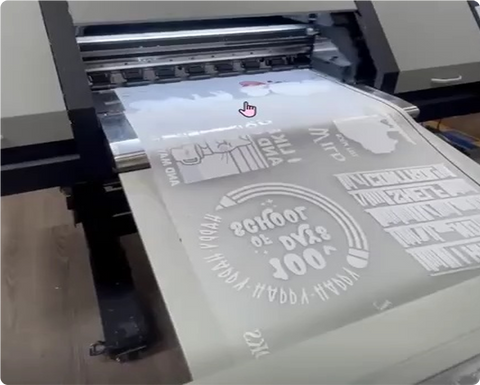
A DTF white ink underbase is a layer of white ink printed along with your colors so they stay opaque on the garment. In DTF, the white is printed as a backing on the film, which means it sits beneath the color once the transfer is pressed. You’ll also hear it called the white layer or white backing. “Underbase” is a term borrowed from screen printing and DTG, where white is laid down first, and a screen printing underbase needs its own screen and setup. DTF handles white digitally, which is why small and one-off runs make sense.
Why the White Ink Layer Matters on Dark Shirts
White is the main source of opacity and color accuracy on black, navy, and other dark garments. It also keeps gradients and photo-style artwork even, since the color rests on a consistent base. Light shirts use white as well, but a dark shirt exposes a weak or missing layer right away.
White Ink Density: Opacity vs. Feel
Density is the main dial. More white ink gives stronger opacity and a thicker, heavier feel. Less white gives a softer print with some fabric showing through, which suits vintage looks and thin garments. Bold graphics usually want more white, and soft fashion pieces often want less. The right setting depends on the printer, so treat any figure you read online as a starting point.
Fixing the White Halo
A white halo is a thin white edge peeking out around the color. The fix is a choke, which shrinks the white layer slightly so the color covers it completely. It matters most on small text and thin outlines, where a sliver of white can make an edge look rough.
Artwork Tips for Dark Shirts
Start with a transparent background and a high-resolution file. Mock up your design on the actual garment color, because any white in your artwork prints in white ink and will look different than it does on a light shirt. Be careful with very dark colors, since dark ink on a black shirt can vanish, and keep thin lines and small text bold enough to hold up. If you’re ordering a mix of designs, a gang sheet can hold artwork for light and dark garments together, because each design’s white layer is handled on its own.
Common White Ink Problems and Fixes
Faded or dull color usually points to a weak or missing white layer, or to adhesive that wasn’t fully cured. A white halo calls for a tighter choke. A heavy, stiff feel means the white is too dense, so lower the density or use less white in lighter areas. And if there’s no white at all, check that the white layer was defined in the file before printing.
Dark Polyester and Dye Migration
White ink doesn’t solve every dark-fabric problem. Dark polyester can bleed its dye into a light transfer under heat, so test before a full run and use lower press settings. Our guide to DTF for team uniforms and sports jerseys goes into more detail.
Pressing and Caring for DTF on Dark Garments
Use a heat press, not a household iron, at about 300 to 320°F (150 to 160°C) with medium to firm pressure, and press one test garment before the full run. Our guide to washing and caring for DTF-printed apparel is worth sharing with your customers.
Ordering DTF Transfers for Dark Shirts
We have no minimums and no setup fees, so ordering a single test transfer is easy. Use our upload option or gang sheet builder for one design or a mix of light and dark ones, and ask how we handle white on your order before you finalize artwork. We’re in Manassas, VA, with local pickup and nationwide shipping.
FAQ
1. What is a DTF white ink underbase?
A layer of white ink printed with your colors so they stay opaque. In DTF, it sits under the color after you press the transfer.
2. Why do my DTF prints look faded on dark shirts?
Often the white layer is weak or missing, or the adhesive wasn’t fully cured. Check how you applied white to your artwork first.
3. What is a white halo in DTF, and how do I fix it?
It’s a thin white edge around the color. A choke setting shrinks the white layer slightly so the color covers it.
4. Does a thicker white layer make a print last longer?
Not by itself. More white adds opacity and a heavier feel, but durability depends on proper pressing and care.
5. Do I need a white underbase for DTF on white shirts?
Most DTF transfers include a white layer, but on a white shirt it matters less for opacity. Ask your provider how they handle it.
6. Can I put designs for light and dark shirts on the same gang sheet?
Yes. Each design’s white layer is handled individually, so mixed sheets work.