

DTF Gang Sheet Upload for Custom Transfers Print Ready Fast Every Time
Design Requirements:
For the best results, submit your designs as vector files or high-resolution raster images (300 dpi minimum). Preferred formats: AI, PNG, PDF.
DTF gang sheet upload is the simplest way to order press ready transfers when your layout is already prepared. If you have a finished gang sheet file, you can upload it, choose your sheet size, and move straight to printing without spending extra time arranging designs in a builder. This option is ideal for print shops, apparel brands, and creators who already know their final dimensions and want a fast, reliable workflow from file to finished transfer.
What is a DTF gang sheet upload order?
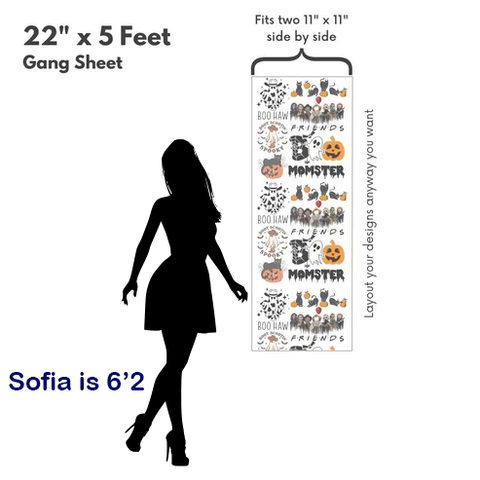
A gang sheet is a single print sheet that contains multiple designs. Instead of ordering each design separately, you combine several graphics on one sheet to save space, reduce cost per print, and keep production organized. With a DTF gang sheet upload order, you send your ready to print sheet file and we print it exactly as provided.
This is perfect if you have repeating logos for left chest prints, multiple sleeve hits, a mix of front and back designs, or a full set of graphics for different garment sizes. You control the layout, spacing, and final size. We focus on printing the file you submit.
Why choose upload instead of a builder?
Both options work, but upload is built for speed and for customers who are confident in their layout. If you already created your gang sheet in Illustrator, Photoshop, or another design tool, upload lets you skip the layout step and go directly to checkout.
- Faster ordering: Upload, select size, and submit.
- Full control: Your spacing, alignment, and cut plan stay exactly as designed.
- Consistent output: Great for reorders and repeat production runs.
- Efficient batching: Combine multiple clients, SKUs, or jobs on one sheet.
Who this product is best for
DTF gang sheet upload is designed for people who run real production and want predictable results:
- Print shops handling daily customer orders and reprints
- Brands launching drops with many designs and sizes
- Sports teams and events needing names, numbers, and logos
- Creators and resellers who build sheets in bulk
- Anyone who prefers designing in a professional program
Accepted file types and quality guidelines
To keep prints clean, start with the correct file format and resolution. We accept these file types:
- AI
- PSD
- PNG
- TIF
- JPG
Recommended file quality is 150 to 900 dpi, depending on your artwork style and final size. If your design includes small text, fine line art, or detailed illustrations, use higher resolution at the final print size for the best clarity.
Final size rules and why they matter
Whatever you upload will be printed according to the size you selected. Please indicate the final image dimensions and make sure your file matches the output you want. We cannot resize your image. If your art is too small, it will print too small. If it is too large, it may not fit the size you selected.
The easiest way to avoid surprises is to build your gang sheet at exact scale in your design software. Verify the canvas size, confirm each design’s dimensions, and check spacing at 100 percent zoom before exporting.
Color mode and conversion notes
All artwork should be in CMYK format. If RGB is sent, it will be converted to CMYK automatically. Spot colors will also be converted to CMYK. Because conversion can shift tones slightly, especially for neons and very bright colors, it is best to export your final file in CMYK so you can preview the expected look before uploading.
Color differences may occur during conversion. For consistent brand colors, use CMYK values and avoid relying on RGB only previews.
Backgrounds, shadows, and effects to avoid
If you need a transparent background, remove the background before uploading. If you send a file with a background, that background will be printed. This includes white boxes, colored rectangles, and faint gradients that are hard to notice on screen.
Also remove shadow and heavy gradient effects that can change when printed. Clean edges and clear shapes create the best results for cutting and pressing. For photos or complex art, keep transitions smooth and avoid low quality compression.
Spacing and outline guidelines for cut friendly sheets
A well prepared gang sheet is not only about fitting designs, it is about making cutting and application easy. Use these practical spacing rules:
- Line spacing: 2 points positive space and 2 points negative space
- Outlines: 2 points when outlines are part of the artwork
These guidelines help prevent designs from touching, reduce trimming mistakes, and keep transfers clean when cut apart. If you plan to cut with scissors or a rotary cutter, leave even more room between items for faster workflow.
Sheet size and maximum width
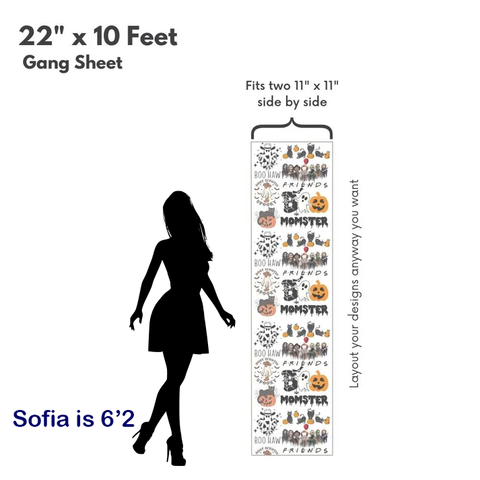
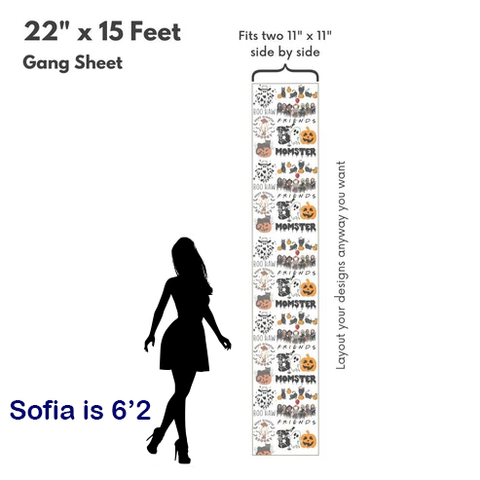
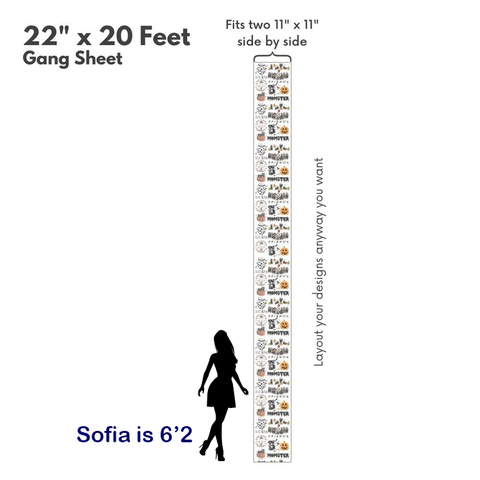
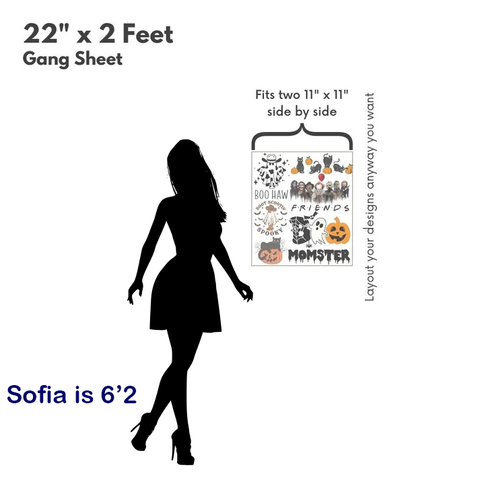
Plan your layout within the maximum width of 22 inches. The length depends on the option you choose. A smart approach is to place your largest designs first, then fill empty areas with smaller logos, tags, sleeve prints, and bonus items. Many customers use upload orders to run mixed batches where every inch has a purpose.
How to prepare a perfect gang sheet file
If you want reliable press ready results, use a simple checklist before exporting:
- Set your artboard to the exact sheet size you are ordering
- Confirm every design is at final print dimensions
- Convert text to outlines when possible to avoid font issues
- Remove unwanted backgrounds and hidden layers
- Use CMYK color mode and export cleanly
- Double check spelling on names, numbers, and small text
For PNG exports, keep transparency clean and avoid fuzzy edges. For PDF exports, keep your layout on a single page at 1 to 1 scale. For PSD, flatten only when needed and keep the canvas at final size.
What you will receive
You will receive a printed DTF gang sheet that you can cut into individual transfers. After cutting, apply the transfer with a heat press following standard DTF pressing practices for time, temperature, pressure, and peel. Consistent pressure and correct peel timing help with wash durability and a smooth finish.
If you are producing multiple garments, an upload order keeps your workflow consistent. Reorders are easy because the file is already designed. Many businesses keep a library of ready gang sheets for best sellers, seasonal drops, and repeat customer logos.
Common use cases and layout ideas
DTF gang sheet upload is flexible, which is why so many print shops prefer it for daily production:
- Brand launch packs: Front print, back print, sleeve logo, and neck label on one sheet
- Bulk logo sheets: Dozens of left chest logos for uniforms and company apparel
- Event kits: Names, numbers, and a main logo for teams and tournaments
- Client batching: Multiple small orders placed together to save time and cost
If you want faster cutting, arrange designs in rows with consistent rotation. Keep a clear path for trimming and avoid tight clusters. If you want maximum efficiency, place small designs into the gaps around larger pieces.
Order checklist before you submit
Because we print what you send, a final review is the most important step. Confirm the following before checkout:
- Your sheet size matches your artboard size
- Your artwork is not stretched or compressed
- Your background is removed where needed
- Your colors are CMYK or you accept CMYK conversion
- Your spacing leaves room for cutting
- Your width stays within 22 inches
Frequently asked questions
Do you resize or adjust my file after I upload?
No. We print the file exactly as submitted. Please make sure your design is at the final size you want.
What resolution should I use for best results?
Use 150 to 900 dpi at the final print size. Higher resolution is better for fine details and small text.
Can I upload a file with a background?
Yes, but the background will print. If you want a transparent background, remove it before uploading.
What color mode should my file be in?
CMYK is recommended. RGB files will be converted to CMYK automatically and slight color shifts may occur.
What is the maximum width for my gang sheet?
Maximum width is 22 inches. Choose the length option you need and set your artboard accordingly.
When you already have your layout ready, DTF gang sheet upload is the most direct path to press ready transfers. Upload your file, choose your size, and get vibrant, durable prints that are easy to cut and quick to apply.
Gang Sheets: Efficient andVersatile Printing Solutions
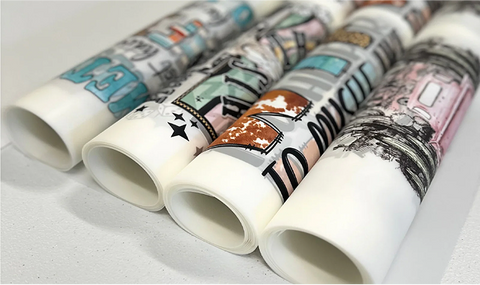
Gang sheets allow you to maximize printing efficiency by combining multiple designs on a single sheet. This innovative approach reduces waste, saves costs, and speeds up production. Perfect for custom printing businesses, gang sheets let you include a variety of design sizes or styles, all optimized for seamless printing.
Premium Quality Guaranteed
We use advanced technology, vibrant inks, and durable materials to ensure your designs stand out on any fabric. Our transfers are tested for up to 60 wash cycles, guaranteeing long-lasting prints that maintain their color and detail.
Why Choose Gang Sheets?
Experience the convenience and cost savings of gang sheets with our premiumprinting services. Optimize your designs, reduce waste, and create stunning results effortlessly!

Cost-Effective

Eco-Friendly

Time Saving
